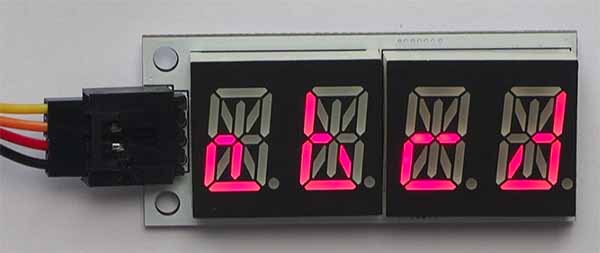
Alphanumeric LED
Alphanumeric sensor
The alphanumeric LED can be used to display up to 4 characters (letters or numbers).
Use it to display short messages, counters, and much more!
Quick Reference
These instructions work with the Elecfreaks alphanumeric display, but not with the Adafruit ones.
Wiring
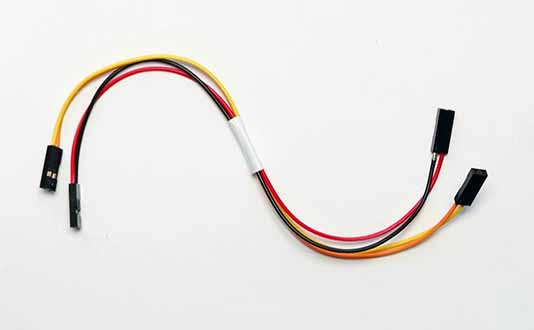
Use the I2C cable to connect the sensor. This has 4 wires in 2 pairs: orange-yellow and red-black:
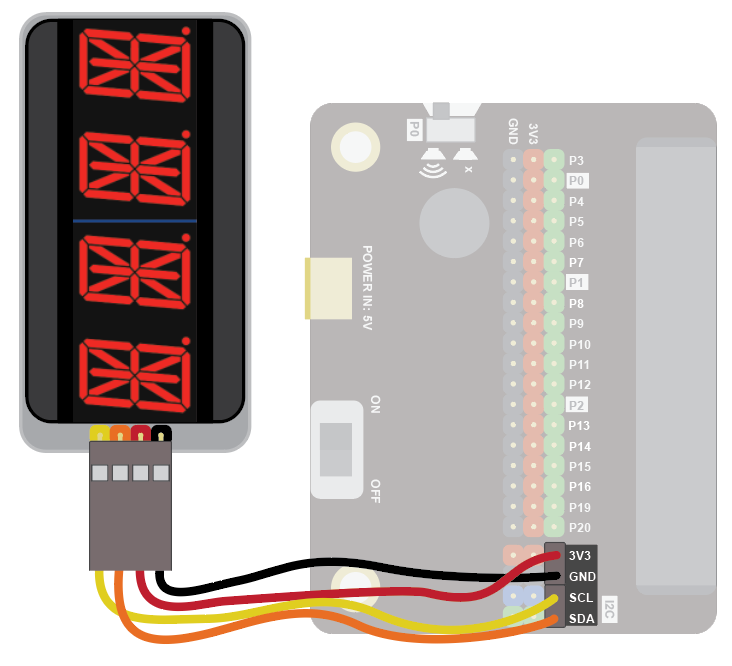
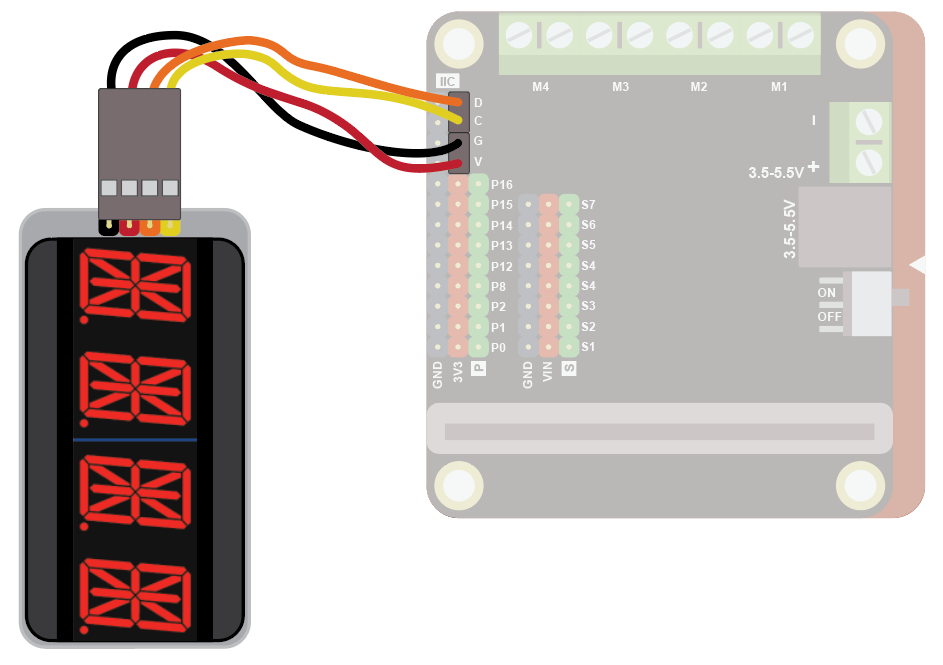
Wire up as follows, using the Edge Connector or Motor Controller board:
| Alphanumeric Display | Suggested wire colour | Edge Connector | Motor Controller |
|---|---|---|---|
| VCC | Red | 3V3 | V |
| GND | Black | GND | G |
| SCL | Yellow | SCL | C |
| SDA | Orange | SDA | D |
On the edge connector it should look like this:
On the motor controller it should look like this:
Coding
You will need to add an extension to get additional blocks for the display. Click on the extensions block:

Then search for "lcd":

Then click on the i2cLD1602 extension:

You should see a new block appear:

Enter this code in on start and forever blocks:
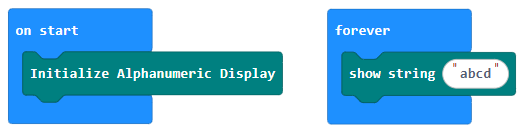
Download the code to the microbit.
The code shows a simple message: